
Recommend Products with AI
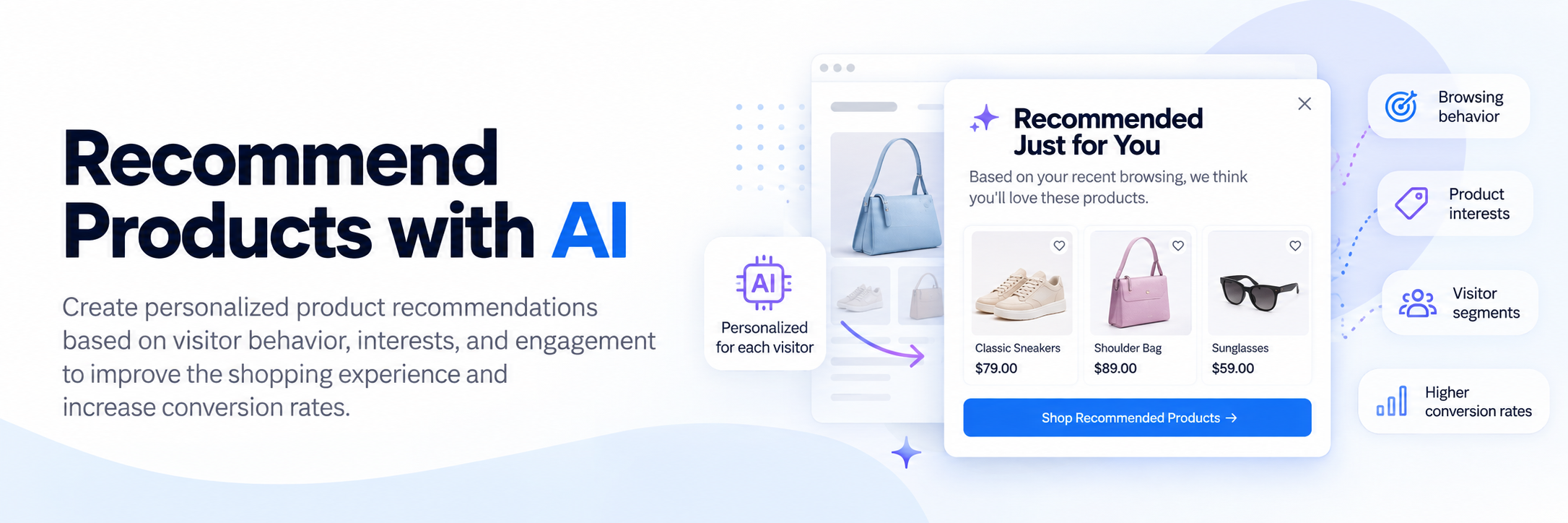
Tango.ad uses AI-powered visitor insights to help you recommend relevant products to each visitor. By analyzing browsing behavior, interests, and engagement, AI can help create personalized product recommendations that improve the shopping experience and support higher conversion rates.
This guide explains how to create a campaign that uses AI-driven product recommendations.
Why Use AI Product Recommendations?
AI-powered recommendations can help you:
- Increase product discovery.
- Improve conversion rates.
- Boost average order value.
- Encourage repeat purchases.
- Deliver a more personalized shopping experience.
Unlike generic promotions, AI recommendations can be tailored to each visitor's interests and browsing behavior.
Before You Begin
Make sure you have:
- Tango.ad installed on your website.
- Product data available for AI recommendations.
- AI visitor insights configured, if required.
- Products or collections you want to promote.
For more information about Tango.ad's AI capabilities, see AI Dashboards Overview.
Step 1: Create a New Campaign
- Open Campaigns.
- Click Create Campaign.
- Select a suitable campaign type or create a blank campaign.
- Enter a descriptive campaign name.
You can also create the campaign using Create a Campaign with AI or Create a Campaign Manually.
Step 2: Design Your Recommendation Popup
Use the Design Editor to build your campaign.
A typical recommendation popup can include:
- Headline
- Short description
- Product image(s)
- Product title
- Price, if applicable
- Call-to-action button
- Close button
Example:
Recommended Just for You
Based on your recent browsing, we think you'll love these products.
You can use Working with Content Blocks to add and arrange the elements in your popup.

Step 3: Configure AI-Based Recommendations
Configure the campaign to use Tango.ad's AI-powered visitor insights.
AI can use signals such as:
- Browsing history
- Recently viewed products
- Product categories
- Brand preferences
- Visitor interests
- Shopping behavior
- Engagement
Tango.ad's AI dashboards provide tools for configuring visitor scoring, traits, and other AI-related settings. See AI Dashboards: Scoring Models and AI Dashboards: Traits Mapping for more information.
Step 4: Configure Audience Targeting
Choose the visitors who should receive the recommendation campaign.
Examples include:
- Returning visitors
- Visitors browsing specific categories
- Visitors interested in certain brands
- Visitors viewing related products
- Visitors with higher engagement or intent scores
You can use Triggers and Conditions and Actions to control when and for whom the campaign is displayed.
Step 5: Configure Display Rules
Choose when the recommendations should appear.
Common triggers include:
- After viewing a product page
- After spending time on a product
- After scrolling a percentage of the page
- Exit intent
- After adding an item to the cart
Use Building Workflows to combine triggers, conditions, and actions into a more advanced visitor journey.
Displaying recommendations at the right time can help keep visitors engaged without interrupting their browsing experience.
Step 6: Review and Publish
Before publishing:
- Verify that product recommendations display correctly.
- Check images and product information.
- Test the campaign on desktop and mobile devices.
- Preview the campaign.
- Save and publish the campaign.
- Activate the campaign.
See Saving and Publishing a Campaign for more information.
Best Practices
For the best results:
- Use high-quality product images.
- Keep messaging concise.
- Display products that are relevant to the visitor's browsing behavior.
- Limit the number of recommendations to avoid overwhelming visitors.
- Combine AI recommendations with personalized offers when appropriate.
- Review campaign performance regularly and optimize based on the results.
You can also combine product recommendations with promotional campaigns using Promote Products & Special Offers.
Monitor Performance
Track your campaign's effectiveness using Analytics Overview.
Key metrics include:
| Metric | Description |
|---|---|
| Reach | Number of visitors who viewed the recommendations. |
| Clicks | Number of clicks on recommended products. |
| Conversions | Number of successful actions attributed to the campaign. |
| Conversion Rate | Percentage of visitors who completed the desired action. |
| Revenue | Revenue attributed to the campaign, when available. |
Review these metrics to understand how your recommendation campaigns are performing and identify opportunities for optimization.
Optimization Tips
Improve your AI recommendation campaigns by:
- Testing different headlines and CTA buttons.
- Refining audience targeting.
- Reviewing visitor segments and AI-based insights.
- Updating recommended products for seasonal campaigns.
- Monitoring analytics to identify high-performing recommendations.
- Combining AI recommendations with discounts or limited-time offers when appropriate.
Related Articles
- Recommend Products with AI
- AI Dashboards Overview
- AI Dashboards: Scoring Models
- AI Dashboards: Traits Mapping
- Campaigns Overview
- Design Editor Overview
- Triggers
- Conditions and Actions
- Building Workflows
- Promote Products & Special Offers
- Increase Conversion Rates
- Recover Abandoned Carts
- Analytics Overview