
eshop-rychle
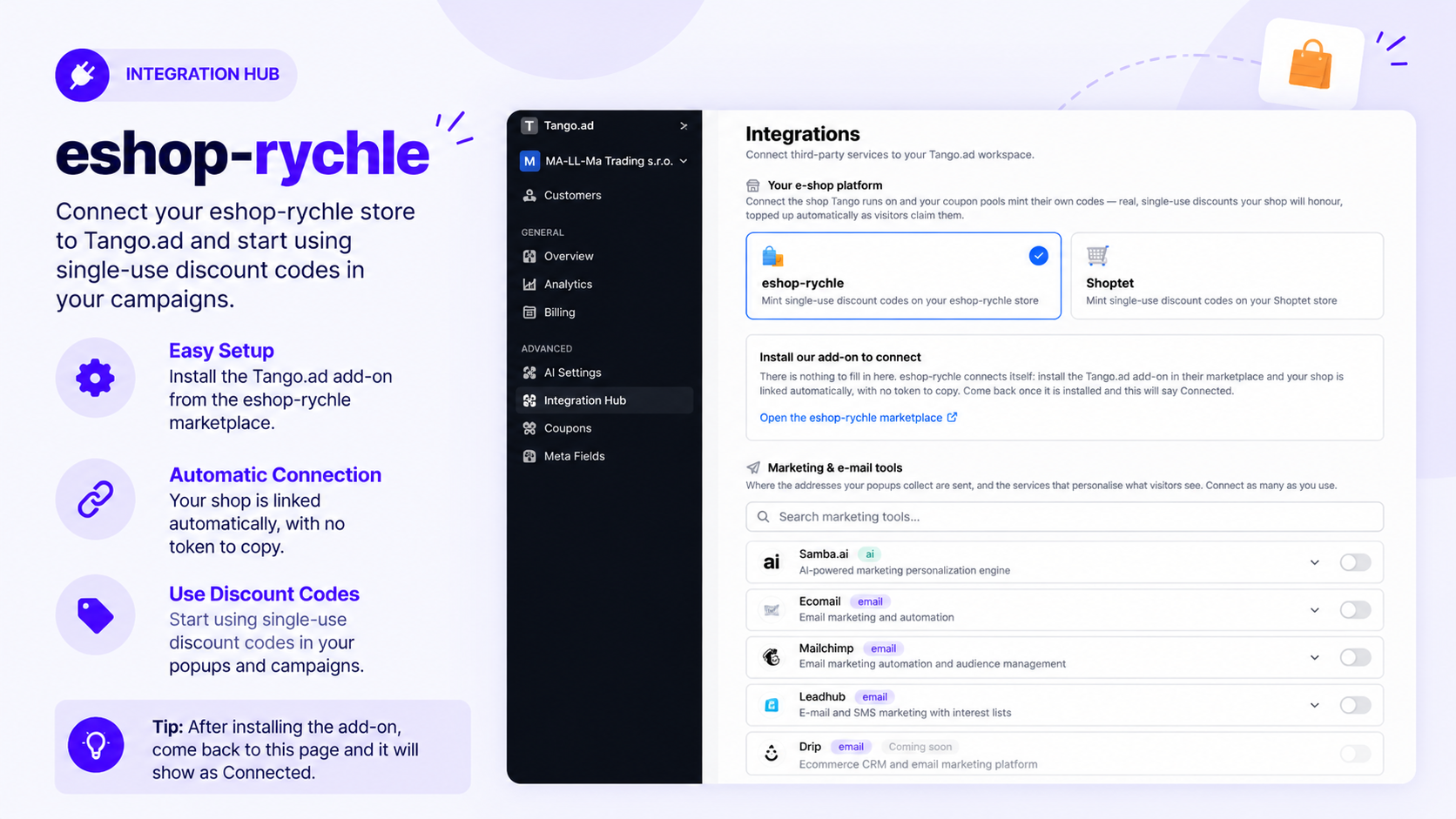
The eshop-rychle integration connects your Tango.ad workspace with your eshop-rychle store. Once connected, Tango.ad can work with your shop without requiring you to manually copy or enter a token.
Connect eshop-rychle
The connection is completed by installing the Tango.ad add-on from the eshop-rychle marketplace.
- Open Integration Hub in your Tango.ad workspace.
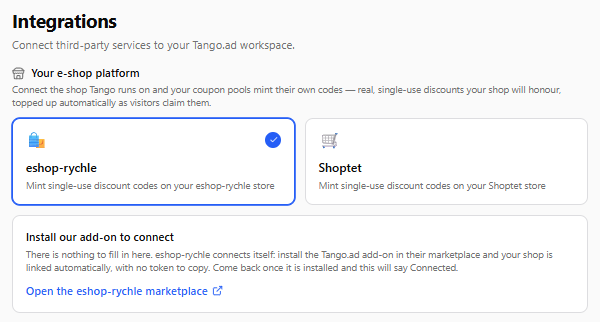
- Find eshop-rychle under Your e-shop platform.
- Click Open the eshop-rychle marketplace.
- Install the Tango.ad add-on from the eshop-rychle marketplace.
- Return to Tango.ad after the add-on has been installed.
- The shop will be connected automatically.
No Token Required
There is nothing to enter or copy manually. Once the Tango.ad add-on is installed in your eshop-rychle store, the connection is established automatically.
The integration card will indicate that the shop is Connected after the installation is detected.
Note: If the integration does not show as connected immediately, return to the Integration Hub after completing the add-on installation and check the eshop-rychle integration again.
Open the eshop-rychle Marketplace

You can access the marketplace directly from the integration card:
Open the eshop-rychle marketplace
Connection Status
The eshop-rychle integration card displays the current connection status:
- Not connected — The Tango.ad add-on has not been installed yet.
- Connected — The add-on has been installed and the shop is linked to Tango.ad.
Once connected, you can continue using the eshop-rychle integration with your Tango.ad workspace.