
Create Meta Fields

Create a Meta Field to store custom visitor information that can be used for personalization, segmentation, workflows, and reporting.

Create a Meta Field
To create a new meta field:

-
Go to Advanced → Meta Fields.
Click + Add Meta Field.
- Enter the following information:
- Key – A unique identifier for the meta field.
- Label – A human-readable name.
- Description (optional) – A brief explanation of the field.
-
Color – Select a color for the field label.
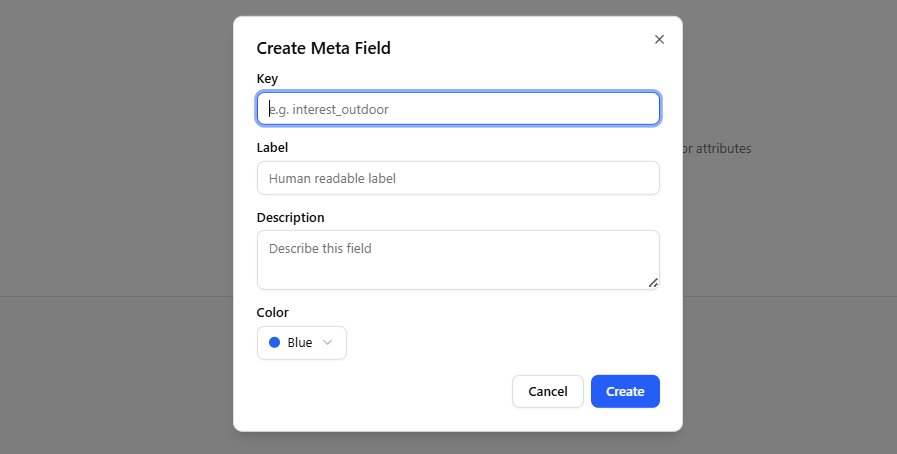
Create Meta Field
- Click Create.
The new meta field will appear in the Meta Fields list and can be used throughout Tango.ad.

Field Definitions

- Key – The unique identifier used internally. Choose a descriptive and unique value, for example,
interest_outdoor. - Label – The display name shown in the interface.
- Description (optional) – Helps explain the purpose of the meta field.
- Color – Determines the color of the meta field tag in the interface.